
English
Views: 0 Author: Site Editor Publish Time: 2026-05-26 Origin: Site


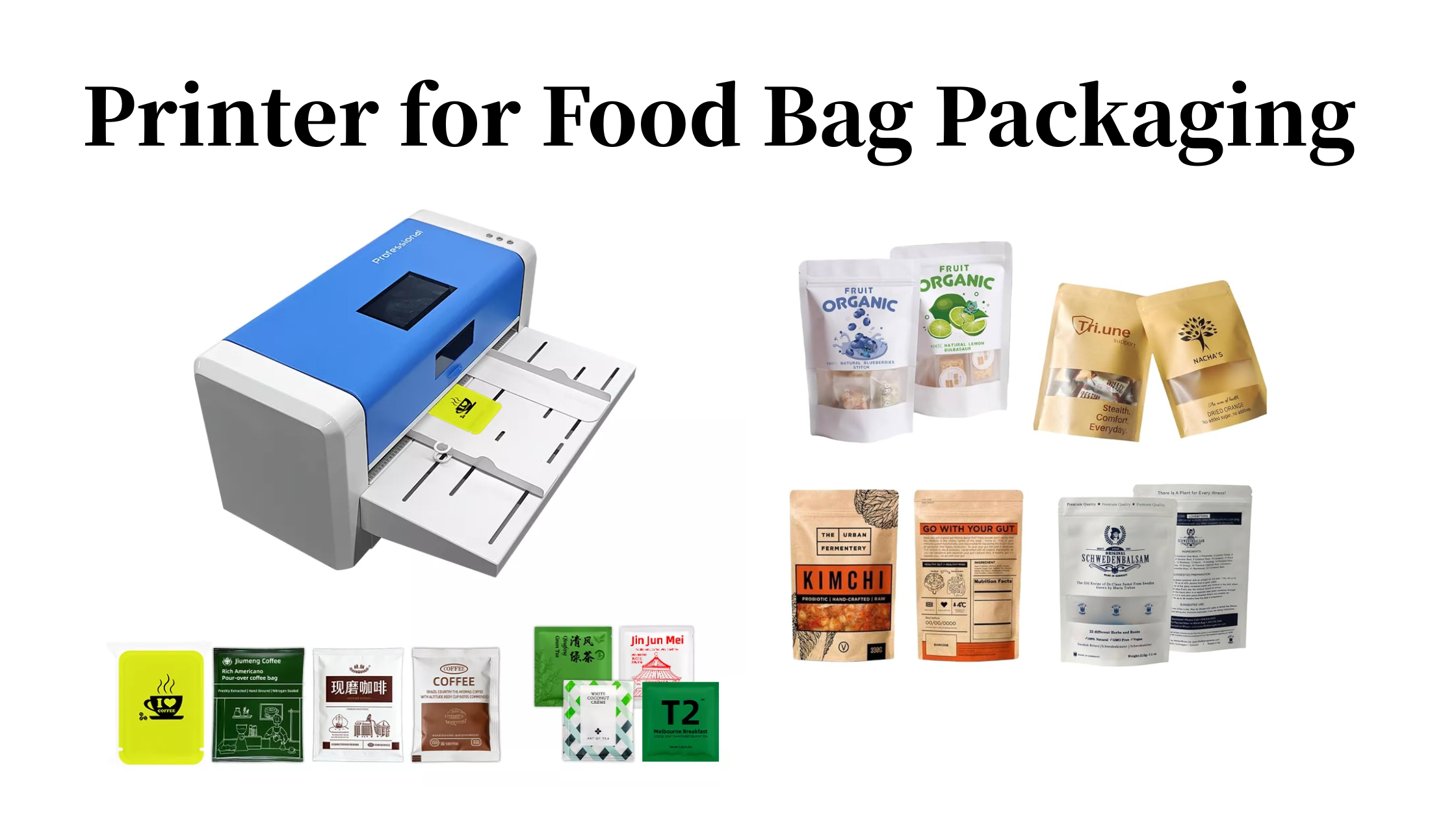
The global food industry is shifting toward personalized, small-batch, and artisanal production. From local coffee roasters to home-based snack businesses, brands are realizing that packaging plays a critical role in customer perception. However, most small food businesses rely on pre-printed packaging bags or outsourcing, which limits flexibility, increases lead times, and raises costs.
For small-scale producers like family-owned coffee shops or small-batch tea brands, the ability to print packaging on demand is a game changer. Whether it's for a new flavor, a seasonal design, or a batch-specific QR code, a dedicated printer for food packaging allows businesses to print exactly when needed. This avoids minimum order quantities and reduces waste.
A thermal transfer printer for food packaging goes a step further by offering durable, safe, and professional-grade results. As food safety regulations tighten and consumers demand transparency, having control over your packaging printing becomes not just an advantage but a necessity.
Thermal Transfer vs Other Printing Technologies: Why It’s a Better Fit for Food Packaging?
When choosing a thermal transfer printer for food packaging, it helps to understand how it compares to alternative printing technologies commonly used in packaging.
Inkjet printing offers high‑resolution color and is good for photo‑realistic images, but its water‑based inks often struggle to adhere to glossy or non‑porous food packaging surfaces like plastic films or foil. Inkjet prints can also smudge when exposed to moisture or grease — a common risk in food environments.
Laser printing is fast and produces sharp text, but the heat generated during printing can warp or melt thin food packaging materials. Laser printers are also less adaptable to variable data like unique QR codes per bag, and the toner may not bond well with flexible films.
Thermal transfer printing uses a ribbon (ink film) and heat to transfer ink onto the packaging material. The result is scratch-resistant, waterproof, and fade-proof printing. This technology works on a wide range of materials, including coated paper, films, and synthetic substrates commonly used in custom printed food packaging bags.
l Durability under harsh conditions: Resists moisture, grease, freezing, and heat.
l Material versatility: Prints on kraft paper, foil, plastic, and laminated films.
l Variable data ready: Ideal for printing batch numbers, QR codes, and traceability codes.
l Cost-effective for small to medium runs: No expensive plates or setup fees.
In short, while inkjet and laser each have their strengths, they fall short in real-world food packaging conditions. For small food businesses, custom printed food packaging is no longer a luxury — and thermal transfer makes it affordable. Whether you need custom printed food packaging bags for coffee beans or tea leaves, thermal transfer delivers professional results without high upfront costs. For a small coffee roaster printing 500 bags per month, a thermal transfer printer typically pays for itself within 4–6 months compared to outsourcing.
Even when businesses decide to buy afood packaging printing machine, mistakes are common. Here are the top pitfalls to avoid:
① Only looking at the purchase price
Low-cost printers often come with poor printhead quality, weak motors, and no software support. Over time, frequent breakdowns and replacement parts make them pricier than reliable models. Data from industry studies indicate that low-end printers can cost nearly twice as much in maintenance over three years compared to a quality mid-range model.
② Ignoring ribbon and material compatibility
Not all ribbons work well with every packaging material. For coffee bags (often foil-lined) or tea pouches (laminated paper), you need a resin or wax-resin ribbon. Using the wrong ribbon leads to smudging, poor adhesion, and illegible barcodes.
③ Buying basic models that don't support continuous printing
Many entry-level printers are designed for labels, not long food packaging bags. For snack bags or coffee pouches that require continuous printing without gaps, a basic printer will jam or misalign. Always confirm the printer supports continuous media.
④ Overlooking long-term consumable costs
Some food bag packaging printer manufacturers lock you into proprietary ribbons and supplies, which are expensive. A good food packaging thermal transfer printer should accept third-party ribbons, keeping your operational expenses low. On average, compatible ribbons cost 40–60% less than proprietary ones while delivering comparable quality.
⑤ Underestimating maintenance and ease of use:
If a printer requires frequent cleaning, complex calibration, or specialized technicians, it becomes a burden for small businesses. For family-owned coffee shops or small workshops, look for models with touchscreen controls and simple operator training..
Choosing the right printer for food packaging involves evaluating several practical criteria:
1. Compliance and safety
Even though the print is on the outside of the packaging, some printers use adhesives or coatings that may migrate. Choose a thermal transfer printerfrom a reputable printer manufacturer that uses food-contact-safe ribbons when required. For direct food packaging, ensure all components comply with local food safety standards, such as FDA or EU Framework Regulation (EC) No 1935/2004.
2. Adaptability to harsh environments
Food packaging often faces moisture, grease, freezing, or heat. Your food pouch packaging printer must produce prints that survive these conditions. Thermal transfer with resin ribbon offers the highest resistance, making it ideal for frozen food bags, hot-filled coffee pouches, and greasy snack bags.
3. Anti-counterfeiting and traceability management
More small food businesses are using variable data printing to meet traceability requirements. A good small bag packaging printing machine should easily print the following:
l Batch numbers
l Unique traceability codes
l Anti-counterfeit QR codes
l Expiration dates
According to a 2025 survey, over 60% of small food brands now include variable data on their packaging, up from just 25% four years ago.
4. High-speed production matching
Even for small businesses, speed matters during peak seasons. Look for a food packaging thermal transfer printerwith print speeds of at least 2 inches per second. This ensures you can fulfill holiday orders or event batches without delays.
5. Material adhesion and print width
Your printer must adhere well to materials like kraft paper, foil, PE, and PET films. Also, check the maximum print width. For coffee bags and tea pouches, adjustable width up to 10 inches offers flexibility for different bag sizes.
6. Ease of use and maintenance
For family-owned coffee shops or home-based snack businesses, a printer with an integrated touchscreen and intuitive software is a must. Avoid models that require professional training. The ability to change designs, fonts, and layouts in minutes is what makes custom printed food packaging accessible to small producers.
Official Brand Websites – Safe but often the most expensive. You get a full warranty and direct support, but prices are usually list price.
B2B Platforms (e.g., Alibaba, Made-in-China) – Wide selection and competitive prices. However, you must verify the supplier's credentials carefully. Look for verified manufacturers, trade assurance, and customer reviews. Avoid sellers who cannot provide factory audit reports or certification documents.
Specialized Printing Equipment Marketplaces – Some platforms focus specifically on industrial printers. These are safer than general marketplaces but may have fewer sellers.
Local Authorized Distributors – This is often the best balance between price and service. Distributors typically offer installation, training, and faster after-sales support. Prices are usually 10–30% lower than official websites.
Industry Trade Shows – Events like Pack Expo (USA), interpack (Germany), or ProPak (Asia) allow you to test machines yourself, compare multiple brands, and talk directly with manufacturers. This is especially valuable for first-time buyers.
Direct from Food Pouch Printer Manufacturer (OEM) – If you need large volumes or custom firmware/software, buying directly from a printer manufacturer can be cost-effective. Many Chinese OEM suppliers offer high-quality machines at competitive prices, but you must verify their quality control and after-sales support.
For most small to medium-sized food businesses, starting with a local authorized distributor or a verified B2B supplier with trade assurance is the recommended path.
Small food businesses—whether family-owned coffee shops, tea brands, or home-based snack producers—no longer need to rely on pre-printed packaging or external printers. Athermal transfer printer for food pouch packaging gives you the freedom to print small batches, customize designs for seasons or events, and include variable data like QR codes and batch numbers for traceability.
When choosing a food packaging thermal transfer printer, avoid common mistakes like ignoring ribbon compatibility or underestimating maintenance needs. Focus on durability, material compatibility, ease of use, and total cost of ownership. Purchase from a reliable printer manufacturer or authorized dealer to ensure support and genuine consumables.
If you are looking for a reliable printer for small bag packaging, consider the Masung CH572 small bag packaging printer that is esigned for small to medium food businesses. It features thermal transfer printing, an intuitive touchscreen, adjustable print width up to 10 inches, and a durable aluminum casing — perfect for coffee bags, tea pouches, snack packs, and more.


